Remote desktop control
TightVNC runs as a server and viewer setup that implements the Remote Framebuffer (RFB) protocol to let one computer’s display be accessed and controlled from another machine across a network. The server component receives incoming RFB connections and transmits screen updates, while the viewer component connects to the server to display and interact with the remote desktop.
Top Recommended Alternative

TightVNC supports transferring keyboard and mouse input from the viewer to the server, mapping remote screen contents back to the viewer display. It also includes file transfer functionality integrated into the protocol and can operate with standard VNC-compatible clients and servers.
Basic link
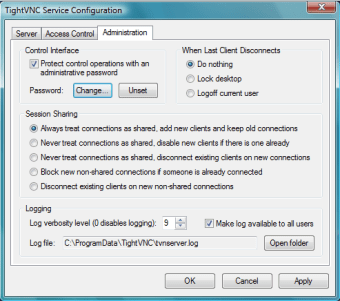
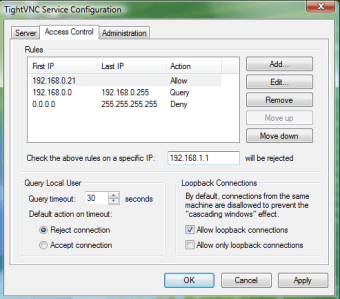
TightVNC includes support for multiple connection protocols and encodings derived from VNC, handling screen updates across network connections. The server allows configuration of connection parameters and security settings, including password-based access control and connection logging. The viewer supports command-line options for specifying connection behavior, display handling, and session parameters. It also includes a Java-based viewer, allowing remote desktop connections through environments where native installation is not present.
The software uses tight encoding, which combines multiple compression methods to transmit screen data while reducing bandwidth usage. The server monitors the display and sends only modified screen regions to connected viewers. Keyboard input supports different layouts and international character sets. The server processes mouse and keyboard events from viewers and permits multiple viewers to connect to and observe or interact with the same desktop session.
Initial configuration involves multiple manual steps related to network access, authentication settings, and connection parameters. Establishing the first successful remote session can require additional adjustment outside the default setup. The overall feature scope remains limited when compared to other remote desktop software implementing the same protocol family. While core remote control functions are present, the software does not include advanced session management, collaboration tools, or extended administration features available in comparable solutions.
Direct mouse and keyboard
TightVNC centers on remote display transmission and interactive desktop control through the RFB protocol. It provides bidirectional keyboard and mouse input, screen update synchronization, and file transfer within active sessions, using both graphical and command-line interfaces for its server and viewer components. The software remains limited to core remote control functionality, with no native encrypted transport and a configuration process that can require manual setup beyond default parameters.